Xodus Nexus brings Game Pass games to Linux
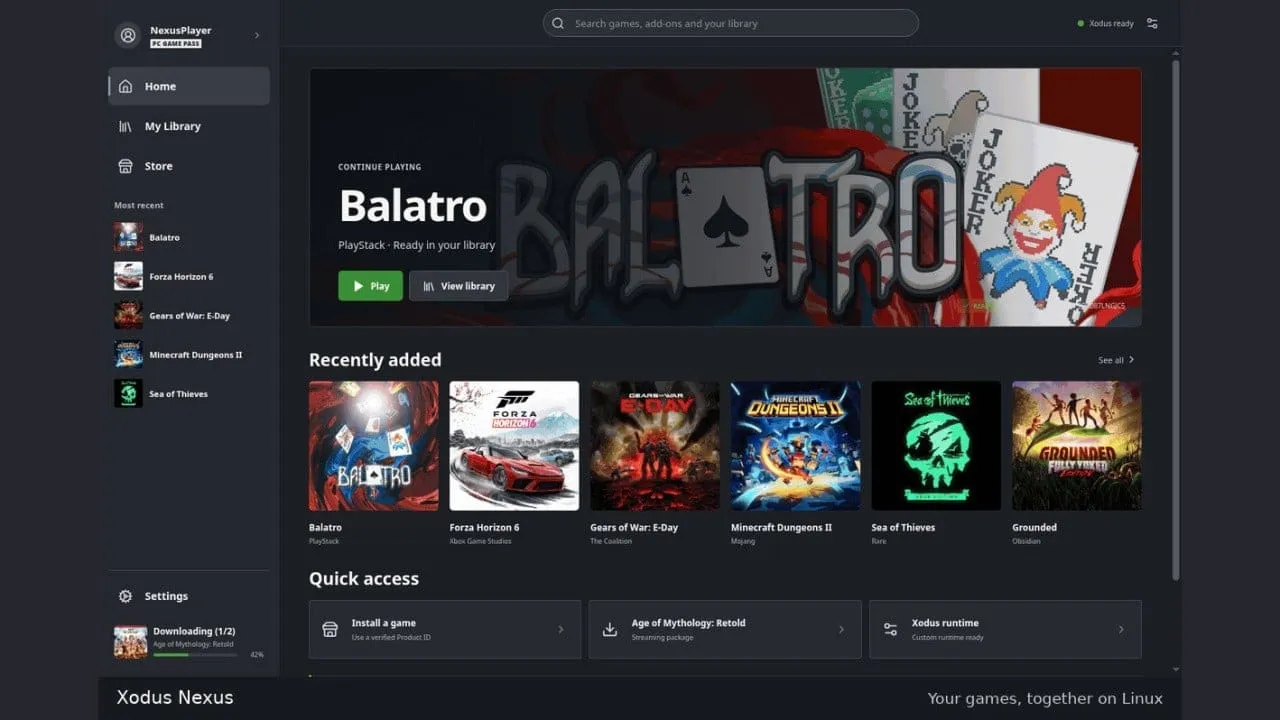
The quest to bring the vibrant world of Xbox Game Pass to open-source platforms like Linux and macOS is more than just a technical challenge; it’s a testament to the power of community-driven innovation. This journey began with the ambitious Xodus project, a community effort aimed at bridging the gap between proprietary gaming services and open operating systems.
When the initial foundations of Xodus were laid, the vision was ambitious. However, even at that early stage, the path to full implementation was steep. Some within the project team acknowledged that they were still relatively far from realizing the ultimate goal of seamless cross-platform access for Game Pass titles.
But persistence paid off. Just two months later, the foundational work matured into something tangible and exciting. The momentum harnessed by the Xodus community led to the development of Xodus Nexus, a new launcher that transformed the potential into reality.
Xodus Nexus is now capable of delivering a remarkable experience, allowing users to actually play Xbox Game Pass games directly on Linux. This breakthrough isn’t just theoretical; it’s operational, providing access to high-profile titles, including recent and popular releases like Gears of War: E-Day.
What makes this milestone particularly noteworthy is the structure of the achievement. While Xodus Nexus is built upon the original Xodus framework, it represents an independent project spearheaded by a different developer. This demonstrates a powerful example of how decentralized effort can yield incredible, independent results.
The success of Xodus Nexus underscores a crucial truth: when a community sets a clear goal and commits to building the infrastructure, the results can surprise even the architects of the original plan. It shows that open-source collaboration, fueled by shared passion, can indeed turn ambitious visions into playable, exciting realities.
Buy on Amazon
Credit